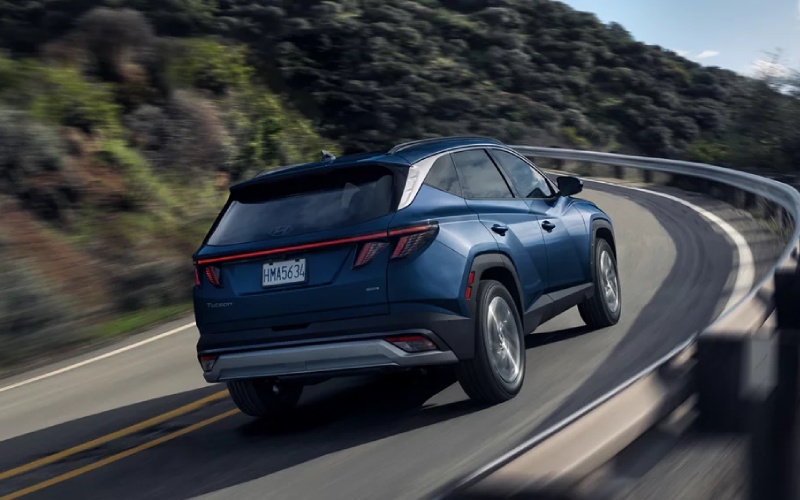
Tustin Hyundai - Is Hyundai Digital Key 2 on the 2026 Hyundai Tucson a benefit for Irvine, CA drivers?
Smartphones already run much of our day, so it is natural to ask how well the Hyundai Digital Key 2 integrates with life in and around Irvine, CA. On the 2026 Hyundai Tucson, this available feature lets compatible phones and smartwatches lock, unlock, and start the vehicle—no traditional key fob required. For busy schedules filled with gym visits, school drop-offs, and quick supply runs, eliminating one more thing to carry can be a welcome upgrade.
Hyundai Digital Key 2 on select Tucson trims is designed around convenience and control. You can securely share digital access with family members or a trusted friend for a limited time, and revoke it just as easily. Pair it with Bluelink+ to check vehicle status remotely, and if your schedule changes, you can give someone temporary access without meeting up to hand over a physical key. For households juggling multiple drivers, that flexibility fits seamlessly into real-world routines.
How it works day to day
Digital Key 2 uses your compatible device’s secure credentials to communicate with the vehicle. When you approach, you can use your phone or a compatible smartwatch to unlock the doors, then start the engine once you are inside. If your hands are full after a grocery run, unlocking with your device is quick and natural. For drivers who prefer a minimalist carry, not needing the fob is a small but meaningful perk that quickly becomes second nature.
Set up is guided and straightforward. Once you enroll and add your device, you can create profiles and share access digitally. If you share Tucson among family members, everyone can have their own access without relying on a single fob. And if you ever need to remove access—for example, after a long visit or loaned vehicle—you can do it in a few taps.
Security design you can trust
Digital Key 2 is engineered with layered security. Access is tied to your authenticated device, secured by your phone’s biometrics or passcode. If a device is lost or replaced, you can revoke its access and reassign permissions to a new one. That level of control adds peace of mind, especially in busy areas where you might not want to leave a spare key in a locker or bag.
For those wondering how the digital key interacts with traditional keys—your physical key still works like normal, and you can carry it as a backup if you prefer. Many drivers start by using both, then transition to relying on their phone once they are comfortable.
Ways it makes driving easier around town
Life in Irvine often involves packed parking garages, crowded lots, and frequent pick-ups. Hyundai Digital Key 2 makes the quick in-and-out stops quicker. Add in other Tucson conveniences—like the available hands-free smart power liftgate and the available Surround View Monitor—and you’ll notice how the SUV’s tech suite reduces small daily frictions. It is about removing little steps, like digging for a fob or handing off a physical key, which collectively add up to real convenience.
If you have a teenager borrowing the car, Digital Key 2 can keep you in control. You can share access with a clear start and end date, then rescind it automatically—no reminders or chasing down the keys. For visiting guests, it’s the same simple process.
Tips for getting the most from Digital Key 2
- Confirm device compatibility and keep your phone’s OS updated for best performance
- Enroll within Bluelink+ and create driver profiles so settings stay personalized
- Share access only with trusted users and set time limits for borrowed access
- Keep your device charged and consider a compact battery pack on longer days
- Use your compatible smartwatch as a convenient backup method
These small habits build a smooth, reliable routine. Many Tucson owners find that once they try Digital Key 2 for a few errands, it becomes the default way they interact with the SUV.
How it fits with the rest of Tucson’s tech
Digital Key 2 is just one part of a larger technology ecosystem inside Tucson. The standard 12.3-inch touchscreen makes daily navigation and media easy to manage, while Wireless Android Auto™ and Apple CarPlay® support streamlines your apps. Bluelink+ extends control when you are away from the vehicle, and on select trims, advanced camera systems like Surround View Monitor help with the trickiest parking spots. It all works together to simplify your drives across town.
Frequently Asked Questions:
Which Tucson trims offer Hyundai Digital Key 2?
Digital Key 2 is available on select trims, including certain Hybrid and Plug-in Hybrid models and the SEL Premium in the gas lineup. Availability can vary, so check our current inventory for exact configurations.
Can I share my Digital Key with multiple people?
Yes. You can securely share access with family or friends and set time limits. When you are done, you can easily remove their access—no need to retrieve a physical fob.
What happens if my phone battery dies?
You can still use a traditional key fob as a backup. Many drivers also add a compatible smartwatch as an additional access method.
Does Digital Key 2 work without Bluelink+?
Digital Key 2 and Bluelink+ complement each other. Bluelink+ helps with remote access and vehicle status, while Digital Key 2 handles device-based unlocking and starting. We recommend enrolling in both for the best experience.
If you want a daily convenience that you will use multiple times a day, Hyundai Digital Key 2 is one of the most quietly transformative features on the 2026 Hyundai Tucson. Visit us to try it during a test drive and see how naturally it fits your routine. At Tustin Hyundai, serving Newport Beach, Tustin, and Irvine, we can demonstrate setup, compatibility, and sharing so you can feel confident from day one.