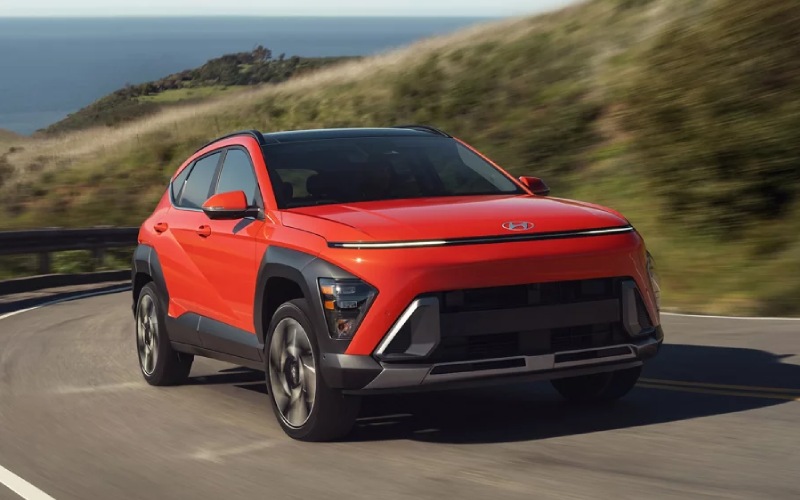
Tustin Hyundai - How Does Hyundai Digital Key 2 Touch Work on the 2026 Hyundai KONA for Irvine, CA Drivers?
Hyundai Digital Key 2 Touch brings everyday convenience to the 2026 Hyundai KONA by letting a compatible smartphone act as your key—no fumbling for a fob, no handing off a physical spare. For busy Irvine, CA drivers juggling work, campus, and weekend plans, this feature streamlines arrivals, key-sharing, and quick trips in a way that just makes sense.
Instead of carrying a separate key, you can unlock, start, and even share access to KONA with select compatible Apple, Android, or Google devices. Digital Key 2 Touch integrates naturally with Kona’s proximity-based features and pairs well with Bluelink+ remote capabilities, so you can check status, lock or unlock, and set the cabin up before you go. It’s a simple idea, executed thoughtfully for modern life.
What Digital Key 2 Touch Does Day to Day
Digital Key 2 Touch lets you treat your phone like a key. You can approach the vehicle, touch to unlock, hop in, and start the drive. Heading into a parking structure near Irvine Spectrum or making a quick pickup by University Town Center? It reduces friction when your hands are full or when you’re multitasking. Sharing the KONA with a partner or roommate is easy too—send secure key access to their compatible device instead of tracking down the spare fob.
For families and friend groups, this is especially helpful on busy weekends. If you’re swapping cars for a grocery run or meeting for a late lunch at the Woodbridge Village area, key-sharing via phone avoids the back-and-forth of planning who has the fob. Plus, combined with Bluelink+, you can confirm doors are locked from wherever you are and see if the vehicle’s ready for the next errand.
Compatibility, Setup, and Smart Pairings
Digital Key 2 Touch requires a compatible smartphone and setup through your MyHyundai account. Once provisioned, your device becomes your key, with the ability to share authorized access to other compatible Apple, Android, or Google devices. It’s a natural fit for households where multiple drivers rotate the KONA throughout the week, and it’s especially useful for apartment or condo living where quick, secure handoffs save time.
Layer in Kona’s other available tech—wireless Apple CarPlay® and Android Auto™, Wi-Fi hotspot capability on Limited, and wireless device charging—and you’ve got a cohesive system that reduces cords and clutter while keeping you connected and in control.
Digital Key Meets Smart Parking and Driver Assists
If you choose a Kona Limited, Hyundai SmartSense features like Surround View Monitor (SVM), Blind-Spot View Monitor (BVM), and Remote Smart Parking Assist (RSPA) can make tight spaces around Irvine’s popular destinations much easier to navigate. You might arrive using Digital Key 2 Touch, then lean on SVM for a 360-degree view as you slip into a compact spot. When you’re leaving, the convenience continues—your phone is still your key, and SmartSense systems are right there to help with awareness and confidence.
Add Highway Driving Assist (HDA) for longer stretches on I-405, and Kona’s advanced driver-assistance features can reduce fatigue by helping maintain a set distance and speed and assisting with centering in the lane—even through gentle curves.
Why Digital Key 2 Touch Is a Smart Fit for Irvine Shoppers
Irvine’s mix of office parks, shopping centers, and residential communities rewards vehicles that are nimble, connected, and easy to share. Digital Key 2 Touch removes a daily pain point without adding complexity. It’s also future-forward—leveraging your phone as a secure, portable credential—so it feels native to the way many of us already organize our lives.
When paired with Bluelink+, dual 12.3-inch displays, and available Bose® Premium Audio, Kona becomes a compact SUV centered on clarity and convenience. The experience is clean, intuitive, and surprisingly premium for its size—just the right blend for quick commutes and relaxed weekends alike.
How to Get the Most from Digital Key 2 Touch
Using Digital Key 2 Touch is straightforward, but a few best practices will keep everything running smoothly as you go about your day around Irvine. Here’s a quick checklist to consider when you’re setting up and sharing access.
- Verify compatibility: Confirm your smartphone works with Hyundai Digital Key 2 Touch and keep it updated.
- Set permissions: Use your MyHyundai account to authorize, limit, or revoke shared access as your needs change.
- Pair with Bluelink+: Use remote lock/unlock, start, and status checks for added peace of mind from anywhere.
- Have a backup plan: Keep your physical key in a safe place and ensure at least one other driver has access if needed.
- Learn the basics: Practice locking, unlocking, and starting with your phone so it’s second nature in busy parking areas.
These simple steps make Digital Key 2 Touch a seamless, reliable part of daily life—no extra effort required once you’ve set it up.
Frequently Asked Questions:
Which trims offer Hyundai Digital Key 2 Touch on the 2026 KONA?
Digital Key 2 Touch is available on Kona Limited. It pairs well with Limited’s premium tech, including a 12.3-inch touchscreen with navigation, 12.3-inch digital instrument cluster, Wi-Fi hotspot capability, and Bose® Premium Audio.
Can I share my digital key with family members?
Yes. You can share secure key access with compatible Apple, Android, or Google devices, so authorized drivers can unlock and start Kona without a physical fob. You control who has access and can revoke it when plans change.
Does Digital Key 2 Touch work if my phone battery is low?
As with most phone-based credentials, you’ll want a charged device. It’s smart to keep your phone topped up using Kona’s wireless device charging or USB ports, and keep a physical key in a known location as a backup.
How does Digital Key 2 Touch work with Bluelink+?
Digital Key 2 Touch handles secure entry and ignition with your phone. Bluelink+ adds helpful remote functions like lock/unlock and remote start from a compatible device, plus vehicle status checks, which extend convenience even when you’re far from the car.
To see Digital Key 2 Touch in action and get a full tech walkthrough of Kona’s displays, safety, and parking features, stop by for a personalized demo. Tustin Hyundai is serving Newport Beach, Tustin, and Irvine with a friendly, efficient experience built around your schedule.